
Customer and supplier accounts
Account cards, risk limits, ageing and statements. Who owes how much, at a glance.
PillarRise ERP · Accounts & Finance
Customer and supplier balances, cash and bank accounts, cheques and notes in one place. Bank transactions arrive and match; receivables that fall due come to the top of the list.
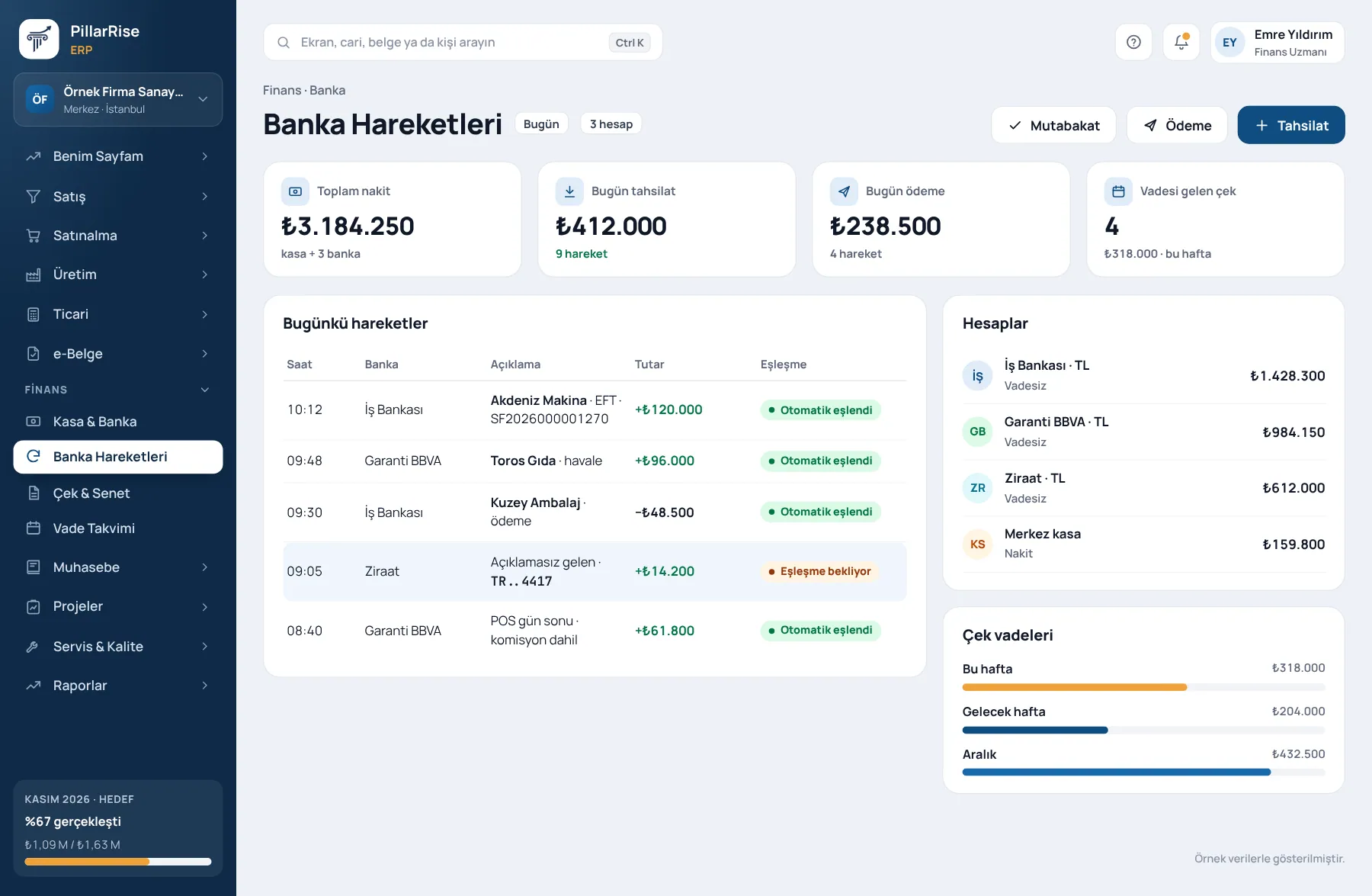
Accounts & Finance
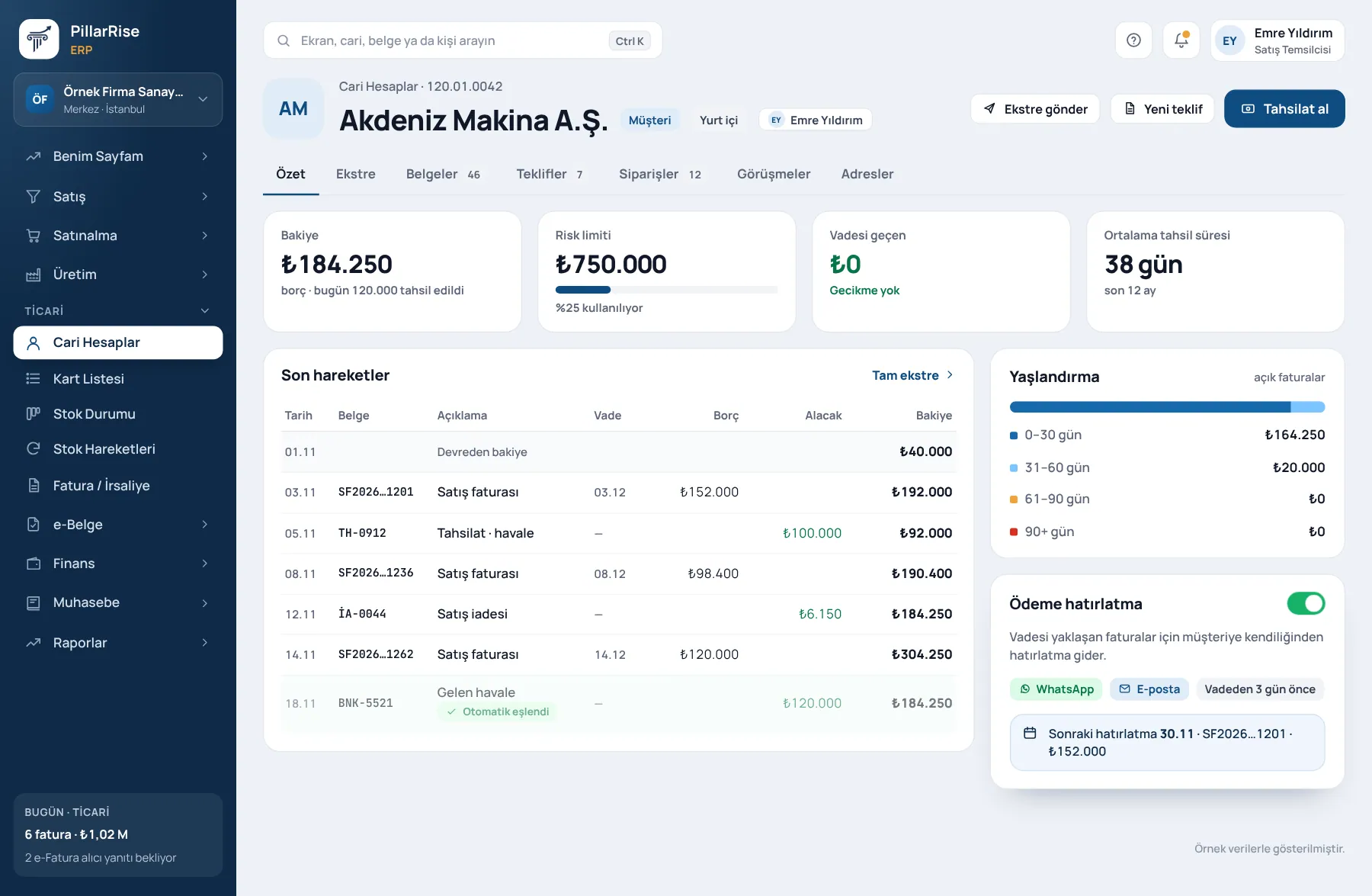
Shown with sample data. Business and personal names are not real. Application screens are in Turkish.
All of day-to-day accounting
A document is entered once: the invoice posts to the customer statement, the collection to cash, the commission to expenses. "The till does not balance" becomes history.
Account cards, risk limits, ageing and statements. Who owes how much, at a glance.
Multiple cash and bank accounts, transfers, card commission, document-level settlement and exchange differences.
Portfolio of cheques and notes received and issued; endorsement, collection and collateral, dishonour tracking, due-date calendar.
Collections, payments, transfers, charges, cheques, loans and card transactions arrive from the bank and match by payment code; unmatched items go to a manual list.
An issued invoice posts to the customer balance instantly; an incoming e-Invoice becomes a purchase invoice draft.
Sales and purchase analysis, account ageing, collection performance and the due-date calendar; Excel and PDF.
Sound familiar?
| Today | With PillarRise |
|---|---|
| Invoices in one program, collections in Excel, cheques in a diary. | Invoices, collections and cheques meet on the same customer statement. |
| To see a customer's real balance you look in three places. | Every document posts to the balance instantly; the statement is one screen. |
| A cheque falling due comes as a surprise. | The due-date calendar and portfolio list bring maturing paper to the top. |
Getting started
Customer cards and opening balances are transferred; cash and bank accounts are defined.
Revenue Administration or integrator settings, document series and numbering.
Invoices, collections, payments and the cheque and note portfolio start posting.
Ageing, the due-date calendar and management reports go live.
If the General Ledger module is on, documents create journal entries; the transfer to your accountant is ready.
PillarRise ERP
All on the same database with one login; add them as you need them.
Frequently asked questions
The bank connection is assessed for your bank during the demo; transactions then arrive automatically.
Yes; currency balances and exchange differences are tracked separately.
No. With the bank connection, transactions arrive from the bank and match the customer by payment code; unmatched items go to a manual matching list and reconciliation is daily.
Yes. It is the same database, so when General Ledger is switched on, documents become journal entries; nothing is re-entered.
In a 30-minute demo we listen to how you work and open the Accounts & Finance screens with an example close to your business. Set-up is done as process design, with support from our consultants.
Your cookie preference We would like to use Google Analytics cookies to improve the site and measure whether our advertising works. These cookies run only with your consent; if you decline, the site works just the same. Cookie Policy (TR)