
Device and equipment card
Model, serial number, location and warranty end. Cards are never deleted, only deactivated; service history stays.
PillarRise ERP · Service & Quality
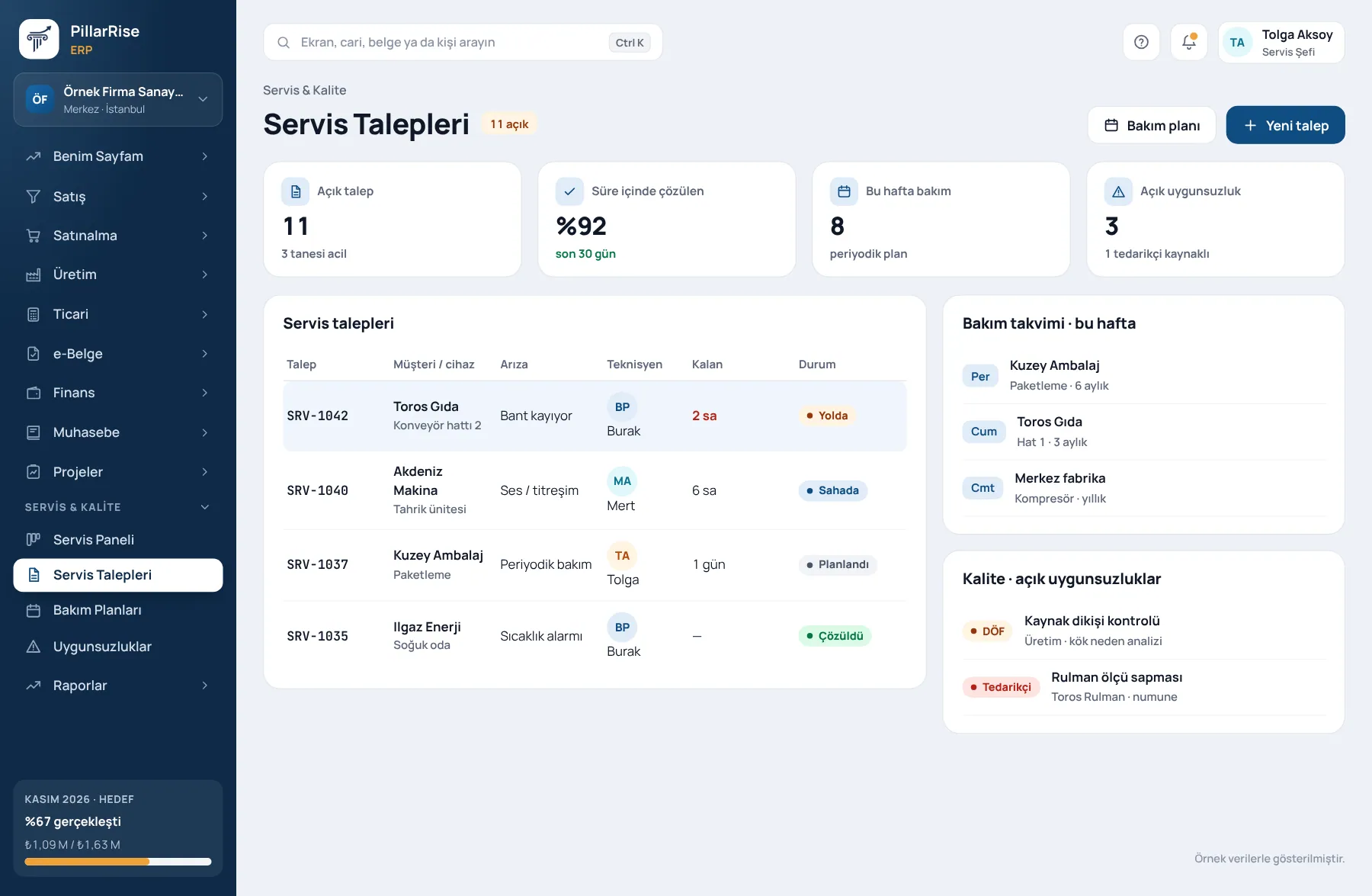
Service requests are assigned to technicians and the time remaining is visible. Planned maintenance reminds itself; nonconformities close with their root cause.
Service & Quality
In the same system
Sales & CRMLeads, opportunities, quotes and orders in one line. Invoicing & e-DocumentsInvoices, delivery notes, e-Invoice and e-Archive. Accounts & FinanceCustomer accounts, cash, bank, cheques and notes. Stock & WarehouseItems, warehouses, counts, batches and serials.Shown with sample data. Business and personal names are not real. Application screens are in Turkish.
Service and maintenance
Service at a customer's device and maintenance of your own machines are recorded the same way: who, when, which part, which fix.
Model, serial number, location and warranty end. Cards are never deleted, only deactivated; service history stays.
Fault, maintenance or installation; priority, technician and due date. Status history cannot be altered.
An open request cannot close until a resolution is written; it can be reopened and the original record is kept.
Parts used are real stock issues; removing a line writes a reversal. Part cost is read from the stock movement.
Maintenance requests are generated from the plan; a new one does not open while the previous one is open, and a late job does not shift the schedule.
It runs in the browser; technicians open and update requests from their phone.
Quality management
Which revision of a procedure is in force, who has read it, which nonconformity is waiting on which action — all in one place. The approver is not the author; the verifier is not the owner.
Draft → review → publish. A published revision cannot change; a future-dated revision supersedes the old one on its date.
Who has read and who has not; documents due for review are flagged to the process owner. External documents such as standards and specifications are on record too.
One click from goods receipt, returns, scrap, service requests and work orders; one source, one nonconformity, no duplicates.
Open → analysis → action → verification → closed. A major nonconformity cannot close without an action; "not effective" requires a new action.
One daily digest per person for actions due or overdue; in-app notification and e-mail.
Calculated from rejection rate and major and minor nonconformities; with Purchasing on, the goods receipt rejection rate is included.
Audit trail
Works on its own too
Service & Maintenance and Quality Management can be used without the other modules; with Stock, Purchasing and Production on, they work together.
Why it matters
| Common problem | In PillarRise ERP |
|---|---|
| What was done to which device lives in the technician's memory. | Every request is linked to the device card; history on one screen. |
| Parts used are not taken out of stock, so counts come up short. | Part usage posts as a stock issue. |
| A request shows "closed" but the problem is not fixed. | A request cannot close without a resolution. |
| An old revision is used in the field. | Only one revision is in force; publishing a new one retires the old. |
| A CAPA is opened and its action forgotten. | Due-date reminders, a daily digest and a verification step. |
| The same person writes, approves and closes. | Approver ≠ author and verifier ≠ owner, enforced by the program. |
PillarRise ERP
All on the same database with one login; add them as you need them.
Frequently asked questions
Yes; they close requests and record parts used from their phone.
The module helps you keep document control, nonconformity and corrective action records in order. The certification decision is made by the certification body.
By default the approver must differ from the author. For one-person companies this rule can be relaxed in settings; the choice is written to the audit trail.
Yes. An equipment card can be a customer device or the company's own machine; the maintenance plan works the same for both.
Files are stored in your company's own area, closed to the web, and opened only to authorised users.
In a 30-minute demo we listen to how you work and open the Service & Quality screens with an example close to your business. Set-up is done as process design, with support from our consultants.
Your cookie preference We would like to use Google Analytics cookies to improve the site and measure whether our advertising works. These cookies run only with your consent; if you decline, the site works just the same. Cookie Policy (TR)