
e-Invoice or e-Archive?
If the buyer is on the e-Invoice register, e-Invoice; otherwise e-Archive. Basic or commercial scenario chosen on the invoice; for commercial invoices the buyer's acceptance or rejection is tracked.
PillarRise ERP · Invoicing & e-Documents
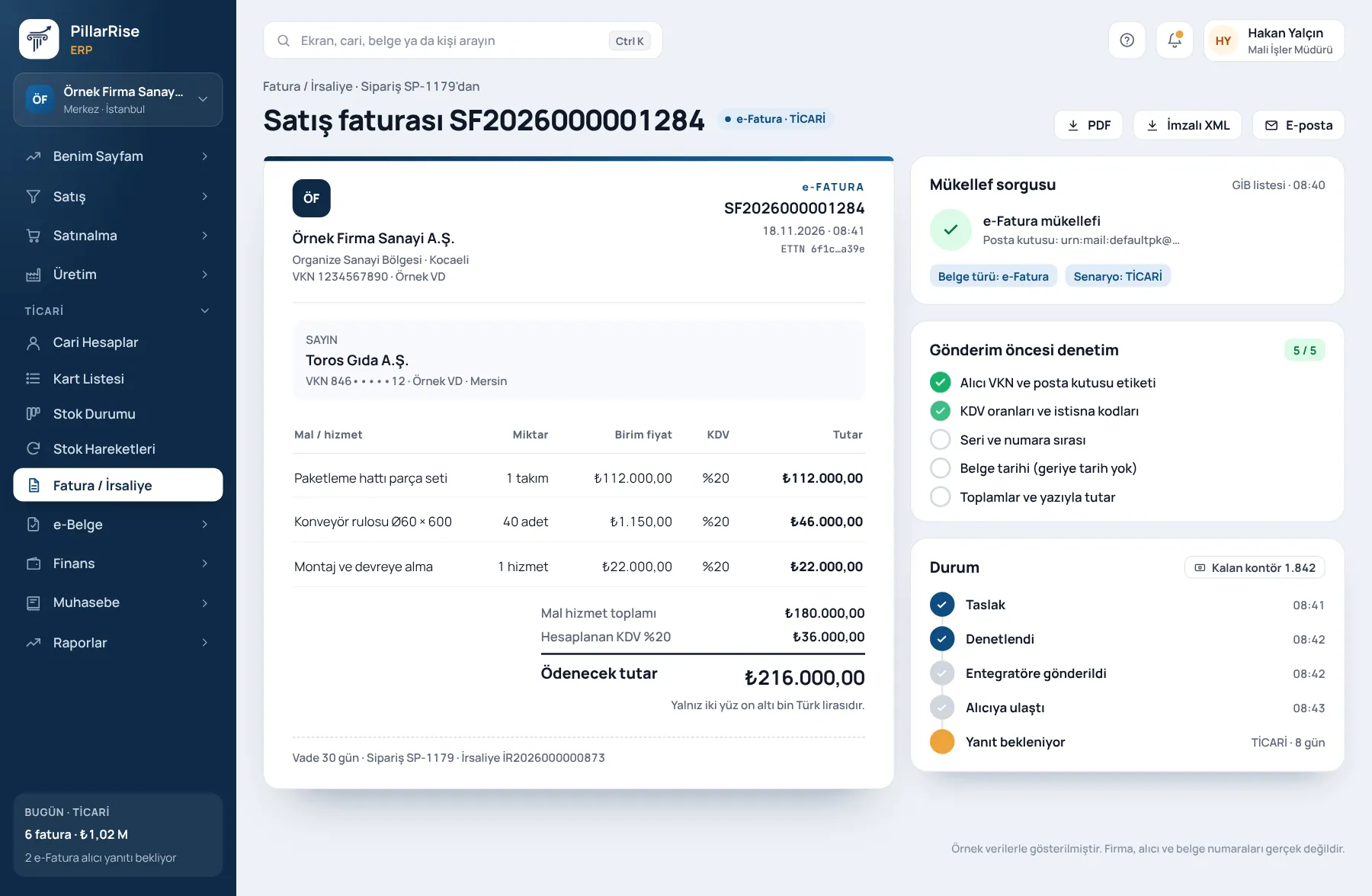
The buyer's e-Invoice status is checked and the document type is chosen automatically. Documents are validated before sending; incoming invoices arrive in your inbox and become purchase invoices in one click.
Invoicing & e-Documents
In the same system
Sales & CRMLeads, opportunities, quotes and orders in one line. Accounts & FinanceCustomer accounts, cash, bank, cheques and notes. Stock & WarehouseItems, warehouses, counts, batches and serials. PurchasingRequests, approval, orders and goods receipt.Shown with sample data. Business and personal names are not real. Application screens are in Turkish.
PillarRise e-Documents produces invoices in the Turkish UBL-TR 1.2 format; if the buyer is registered for e-Invoice with the Turkish Revenue Administration it is sent as an e-Invoice, otherwise as an e-Archive invoice. Sending is through a private integrator or the Revenue Administration portal. Invoices issued to you are collected every hour, matched to customer and stock cards and arrive as drafts for your approval. It runs in the browser; nothing to install.
Outgoing documents
Documents are validated before sending; nothing goes out with missing information.
If the buyer is on the e-Invoice register, e-Invoice; otherwise e-Archive. Basic or commercial scenario chosen on the invoice; for commercial invoices the buyer's acceptance or rejection is tracked.
Missing tax number, address or company name is reported before sending; a document left in error at the integrator is corrected and re-sent.
Ready, sent, accepted, rejected: one list. "Sent" and "accepted" are kept separate; the official view and signed XML can be downloaded.
Tax details
Withholding code and rate are chosen on the invoice line; the journal entry follows the VAT rate and withholding.
A line with 0% VAT cannot be sent without an exemption reason.
A return invoice is linked to the original; for incoming returns the direction is read from the document.
Inbox
No lost VAT
A missed purchase invoice means VAT you cannot reclaim. The inbox and the e-Archive check close that gap.
Day-to-day
Remaining credits on screen with a threshold warning; new packages are requested from the same screen.
Logo, colours, footnotes and bank details on invoices, delivery notes, quotations and orders; an English template for customers abroad.
The subscription amount is issued as an e-Archive invoice every period; plans can be paused or cancelled.
Sales and return invoices are imported from your old program's UBL XML or ZIP file; the same document never enters twice.
Why it matters
| Common problem | In PillarRise e-Documents |
|---|---|
| The invoice is issued as the wrong type (e-Archive instead of e-Invoice). | The type is chosen by the program from the e-Invoice register. |
| An invoice issued to you is missed and its VAT cannot be reclaimed. | The inbox is collected hourly; the e-Archive list is checked separately. |
| An invoice thought to be "sent" was in fact rejected. | Sending and the buyer's response are tracked as separate statuses. |
| Credits run out and invoices wait. | Credit threshold warning and package requests from the screen. |
| The same invoice is processed twice. | Neither import nor the inbox lets the same document in twice. |
PillarRise ERP
All on the same database with one login; add them as you need them.
Frequently asked questions
No. We connect to the integrator you already use; you can also work through the Revenue Administration portal.
Remaining e-Document credits are shown on screen.
We work directly with our solution partners Turkcell e-Şirket and eLogo. Businesses without an integrator agreement can use the Revenue Administration portal; a connection can be set up for a company's own integrator.
You do not need to. The program checks whether the buyer is registered for e-Invoice and chooses the type itself.
Yes. Sales and return invoices are imported from the old program's UBL XML or ZIP file; the same document is never imported twice.
e-Documents works with the Core ERP, which holds customer accounts, stock and invoices. A separate user can be opened for your accountant.
In a 30-minute demo we listen to how you work and open the Invoicing & e-Documents screens with an example close to your business. Set-up is done as process design, with support from our consultants.
Your cookie preference We would like to use Google Analytics cookies to improve the site and measure whether our advertising works. These cookies run only with your consent; if you decline, the site works just the same. Cookie Policy (TR)