
Accountant reconciliation screen
Upload the accountant's Excel summary; 10 items are compared per national ID, with a two-kuruş tolerance. The uploaded file is not stored on the server.
PillarRise HR · Payroll
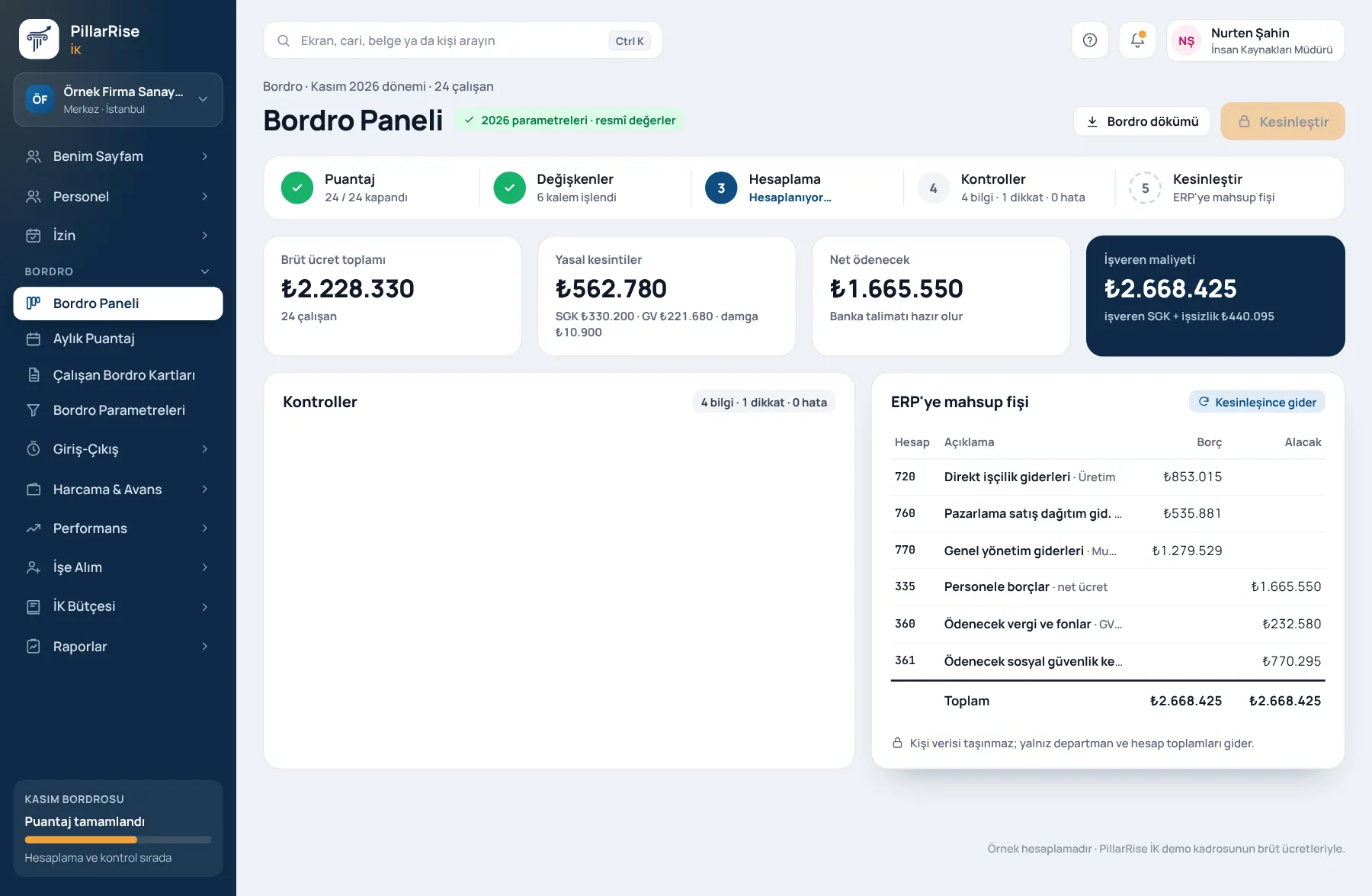
The timesheet closes, payroll is calculated and checks raise warnings. The finalised period goes to the ERP as a journal entry — totals only, never personal data.
Payroll
In the same system
Personnel RecordsPersonnel files, organisation and onboarding. LeaveRequests, approval, balances and calendar. Time & AttendanceQR, location, shifts and timesheets. PerformanceObjectives, reviews and development.Shown with sample data. Business and personal names are not real. Application screens are in Turkish.
Payroll engine
Payroll is calculated with 46 earnings and deduction items; legislative changes come in through central parameters with dated splits.
Upload the accountant's Excel summary; 10 items are compared per national ID, with a two-kuruş tolerance. The uploaded file is not stored on the server.
Cumulative tax base and carried-forward days are checked month to month as a chain; a wizard suggests a fix for a broken link.
That the payslip reached the employee and was viewed is on record (Turkish Labour Law 4857, art. 37).
The annual overtime limit is counted per person and warns as it approaches (art. 41).
Declared → approved → transferred to payroll; unapproved hours never enter payroll. Time off in lieu is used within six months (art. 41/4).
Unpaid leave, sick notes and missing days; the leave record, payroll days and the social security filing agree.
Scope
Shown with sample data. Business and personal names are not real. Application screens are in Turkish.
Outputs
The Turkish original and a copy in the employee's language; from the portal and the app.
Split by department and cost centre; Excel and PDF.
The file for the combined withholding tax and contribution return (MUHSGK).
The file to upload to the bank for salary payments.
A draft entry to the ERP; the same period never creates a second entry and no personal data moves.
Ready with times from time & attendance and approved overtime.
Verification: payslips produced by the payroll engine have been checked to the kuruş against the official calculation for five sample employees. Data on screen is sample data.
PillarRise HR
All on the same database with one login; add them as you need them.
Frequently asked questions
Yes; the timesheet and variables are prepared and passed to your accountant.
Rates and limits are central parameters; a change is entered with its effective date. A mid-month change is calculated with a dated split, and past periods are not affected.
Overtime is transferred to payroll only after approval. Hours declared but awaiting approval appear on the chain screen.
Employee cards, year-to-date cumulative bases, carried-forward days and leave balances. The first month is compared with your current payroll on the reconciliation screen.
In a 30-minute demo we listen to how you work and open the Payroll screens with an example close to your business. Set-up is done as process design, with support from our consultants.
Your cookie preference We would like to use Google Analytics cookies to improve the site and measure whether our advertising works. These cookies run only with your consent; if you decline, the site works just the same. Cookie Policy (TR)