
Rotating QR on a tablet
The QR on the workplace tablet changes every 30 seconds; photographing it and scanning from home does not work.
PillarRise HR · Time & Attendance
Employees scan the QR code at the workplace and their location is checked. Daily status is on a colour-coded table and the timesheet is ready at month end; late arrivals and absences show immediately.
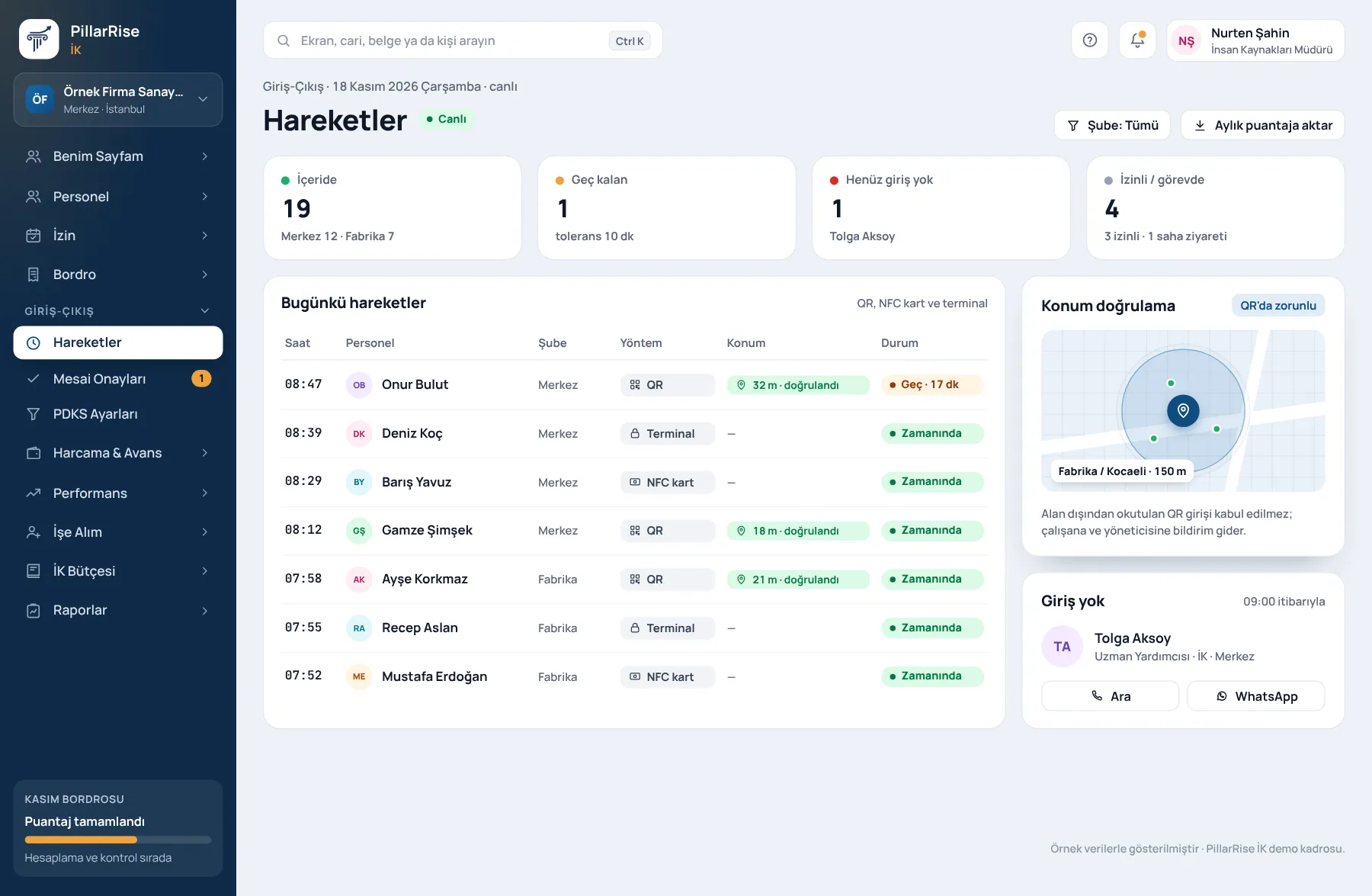
Time & Attendance
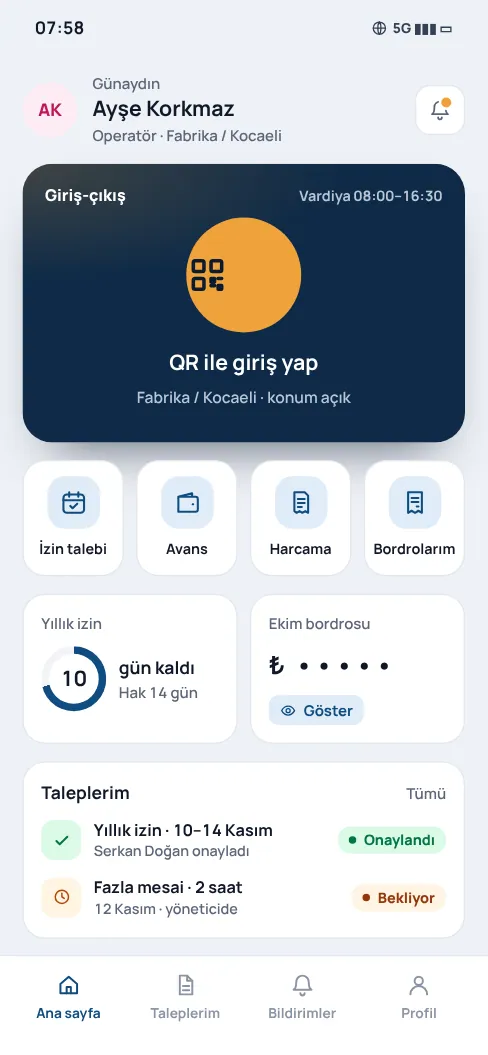
Shown with sample data. Business and personal names are not real. Application screens are in Turkish.
Clocking in without biometrics
The Turkish Data Protection Board's decision 2026/921 of 29 April 2026 made clear that biometric data cannot be made mandatory at work. PillarRise Time & Attendance processes no biometric data.
The QR on the workplace tablet changes every 30 seconds; photographing it and scanning from home does not work.
Field teams by location, office staff with one tap in the portal; exceptions entered manually with a reason.
A record taken without internet waits on the phone and is sent with its time when the connection returns.
Each day's records are sealed with a KamuSM timestamp; the evidence file can be downloaded.
Shifts by workplace; correction requests are approved and appear in the audit report.
Approved times go to the timesheet and overtime to the 270-hour counter.
Turnstiles and devices
Shown with sample data. Business and personal names are not real. Application screens are in Turkish.
PillarRise HR
All on the same database with one login; add them as you need them.
Frequently asked questions
No; a QR code at the workplace and the employee's phone are enough. Records taken without internet are not lost.
No. Timestamping is part of Time & Attendance; you do not need to buy a certificate or credits.
Not directly. They raise a correction request and the manager approves; the original record and the correction appear together in the audit report.
In a 30-minute demo we listen to how you work and open the Time & Attendance screens with an example close to your business. Set-up is done as process design, with support from our consultants.
Your cookie preference We would like to use Google Analytics cookies to improve the site and measure whether our advertising works. These cookies run only with your consent; if you decline, the site works just the same. Cookie Policy (TR)